
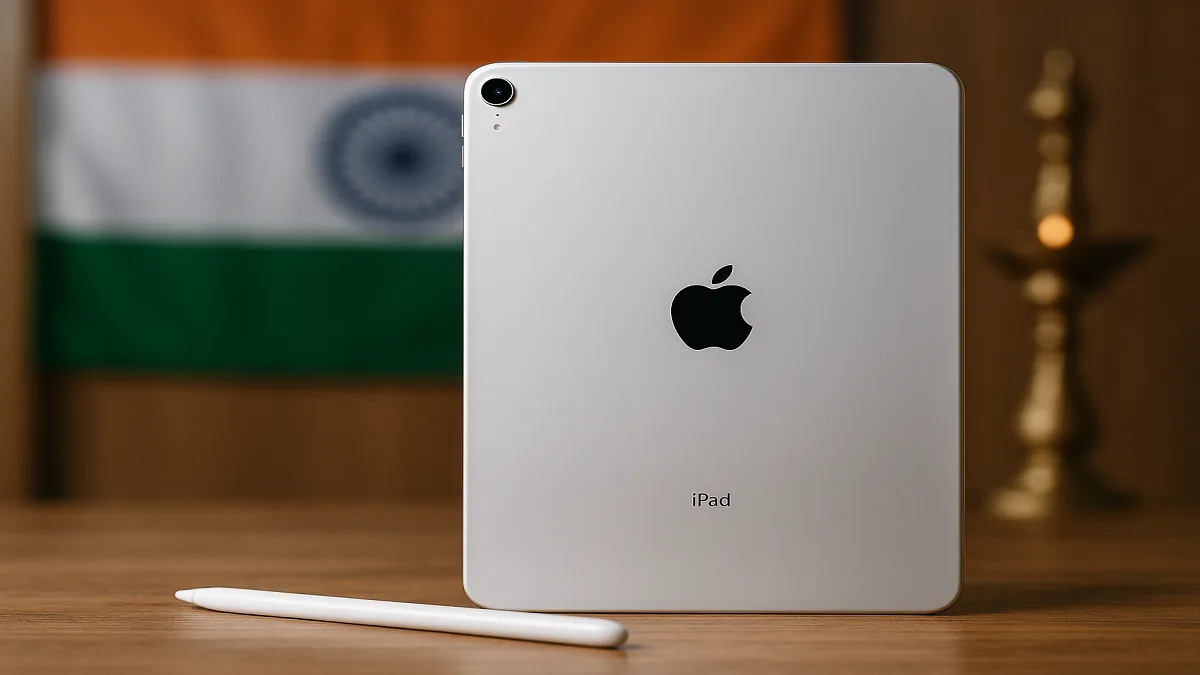
Introduction: iPad Demand Rises Across India
Apple’s iPad lineup is steadily gaining ground in India, emerging as a go-to device for online classes,
office productivity, creative work and home entertainment. From students taking digital notes to
professionals editing presentations on the go, the iPad is increasingly seen as a versatile, long-term
investment in the country’s expanding digital ecosystem.
This news report takes a closer look at Apple’s 2024 iPad lineup in India, analysing key models, features,
target users, price factors and buying tips tailored specifically for Indian consumers.
Understanding the Apple iPad Lineup for 2025
Apple currently offers four main iPad models in India, each designed for a different segment of users and
budgets. Understanding these distinctions is crucial before making a purchase decision.
iPad (Base Model)
The base iPad remains Apple’s most affordable entry point into the tablet ecosystem and is often the first
choice for families and students.
- Features: Retina display, latest iPadOS support, and compatibility with the first-generation Apple Pencil.
- Target Audience: Students, casual users, households looking for a shared device.
- Pros: Budget-friendly, reliable performance for browsing, streaming and light productivity.
- Cons: Misses out on advanced features like ProMotion and the highest-end display technologies.
iPad Air
The iPad Air is positioned as a mid-tier yet premium option, offering more power and a sleeker design than
the base iPad without entering full “Pro” pricing.
- Features: More powerful processor, larger and brighter display, support for Apple Pencil (2nd generation).
- Target Audience: Users who multitask, create content, or need extra performance for work and study.
- Pros: Lightweight, powerful, good balance of price, portability and performance.
- Cons: More expensive than the base iPad, especially with higher storage options.
iPad Pro
The iPad Pro represents the top end of Apple’s tablet lineup and is aimed squarely at power users and
professionals.
- Features: Liquid Retina or Liquid Retina XDR display (model-dependent), M-series chips, ProMotion 120Hz refresh rate, enhanced cameras, support for Apple Pencil (2nd gen) and Magic Keyboard.
- Target Audience: Creative professionals, graphic designers, video editors, corporate power users.
- Pros: Best-in-class performance, stunning display, laptop-like productivity with accessories.
- Cons: Highest price point in the lineup; accessories further increase total cost.
iPad Mini
The iPad Mini is the most compact iPad, popular among frequent travellers, readers and users who value
one-handed use.
- Features: Compact form factor, powerful processor, support for Apple Pencil (2nd generation).
- Target Audience: Readers, commuters, field workers, users who want a pocket-friendly tablet experience.
- Pros: Extremely portable, easy to hold for long periods, great for reading and casual gaming.
- Cons: Smaller screen may not be ideal for design work, split-screen multitasking or long hours of editing.
Key Features Indian Buyers Should Consider Before Purchase
Display Quality
The display is one of the biggest deciding factors, especially for users who stream content, design visuals,
or read for long hours.
- Retina Display: Standard across the lineup, offering sharp visuals suitable for most tasks.
- Liquid Retina Display: Found on iPad Air and some iPad Pro models; offers better colour accuracy and brightness.
- Liquid Retina XDR Display: Available on select iPad Pro models; ideal for HDR video, photo editing and professional colour work.
- ProMotion Technology: Up to 120Hz adaptive refresh rate on iPad Pro for smoother scrolling, gaming and Apple Pencil responsiveness.
Performance and Processor
The choice of processor directly impacts how smoothly the iPad handles apps, games and creative workloads.
- A-series Chips: Featured in the base iPad and iPad Mini; more than adequate for daily tasks, learning and casual gaming.
- M-series Chips (e.g., M1, M2, M4): Found in iPad Air and iPad Pro; designed for heavy multitasking, video editing, 3D work and pro-level apps.
- Practical Tip: If you plan to edit 4K video, work with large design files or use advanced creative apps long-term, prioritise an M-series model.
Storage Capacity
Storage selection is one of the most important decisions at the time of purchase, as most iPads cannot be
upgraded later.
- Typical Options: Ranging approximately from 64GB up to 2TB depending on the model.
- Best For Light Users: 64GB–128GB is usually enough for browsing, a few apps and streaming-first usage.
- Best For Power Users: 256GB and above is recommended for those who store offline videos, large projects or game libraries.
- Cloud Storage: iCloud and other cloud services can reduce pressure on internal storage, especially for photos and documents.
Connectivity Options
Connectivity is especially important in India, where users may switch between Wi-Fi and mobile data
frequently.
- Wi-Fi Only: Ideal for users who mostly stay at home, office or campus with reliable Wi-Fi.
- Wi-Fi + Cellular: Better suited for travellers, field workers, and students who commute or do not have consistent Wi-Fi access.
- Bluetooth: Used to connect keyboards, headphones, styluses and other accessories.
Apple Pencil Compatibility
For students, designers and note-takers, Apple Pencil compatibility is a major differentiator.
- First-Generation Apple Pencil: Typically supported by the base iPad and some older models.
- Second-Generation Apple Pencil: Supported by iPad Air and iPad Pro; offers wireless charging and double-tap gesture.
- Tip for Buyers: Always check which Pencil generation is supported by the specific iPad model you are purchasing.
Essential Accessories
Accessories can transform how an iPad fits into your daily routine.
- Magic Keyboard: Offers a laptop-like typing experience for iPad Pro and select iPad Air models.
- Smart Keyboard Folio: A more affordable keyboard option that still boosts productivity.
- Cases & Screen Protectors: Highly recommended to protect the device in Indian conditions—especially for students and frequent travellers.
Pricing and Availability in India
iPad prices in India vary based on model, storage, connectivity and ongoing promotions. Official and
authorised channels remain the safest options for warranty and after-sales support.
Where to Buy
- Apple India Online Store: Direct purchase, trade-in options, custom configurations and EMI schemes.
- Authorized Apple Resellers: Chains like Reliance Digital, Croma, Vijay Sales, Unicorn and others across major cities.
- Online Retailers: Platforms such as Amazon India and Flipkart often run festival discounts and bank offers. Buyers should verify the seller’s authenticity before ordering.
- Local Retail Stores: Offer hands-on demo units and immediate purchase, especially in tier-1 and tier-2 cities.
Key Factors Affecting Price
- Model: iPad Pro is generally the most expensive, followed by iPad Air, iPad Mini and the base iPad.
- Storage: Higher storage variants see a noticeable price jump.
- Connectivity: Wi-Fi + Cellular models cost more than Wi-Fi-only variants.
- Promotions & Discounts: Festive sales (Diwali, Independence Day, New Year, etc.), bank offers and cashback deals can significantly reduce effective pricing.
Expert Tips: How Indian Users Can Choose the Right iPad
1. Assess Your Needs Clearly
- Primary Use: Decide whether the device is mainly for education, office work, creative projects, or entertainment.
- App Requirements: Check if any mission-critical apps have minimum hardware recommendations.
- Long-Term Plan: Consider how your usage might grow over the next 3–4 years.
2. Set a Practical Budget
- Decide a Price Band: Fix a comfortable budget before comparing models.
- Consider EMI: Many Indian buyers opt for no-cost EMI or bank EMI to upgrade to a higher model.
- Watch for Sales: Buying during major sale periods can bring substantial savings.
3. Compare Models Side by Side
- Check Specs: Display type, chip, storage, connectivity and accessory support.
- Read Indian User Reviews: Look at feedback about heating, battery backup and real-world performance.
- In-Store Demo: Whenever possible, test typing, weight, and display quality in person.
4. Evaluate AppleCare+ for India
- What It Offers: Extended warranty and accidental damage coverage.
- Best For: Users who travel often, have kids using the device, or are prone to accidental drops.
- Decision Point: Compare the AppleCare+ cost against potential repair or replacement expenses.
How Different Indian User Groups Can Use the iPad Effectively
iPad for Students
- Recommended Models: Base iPad or iPad Air for a balance of price and performance.
- Key Accessories: Apple Pencil (1st or 2nd gen, depending on model), budget keyboard case, sturdy protective case.
- Popular Education Apps: GoodNotes, Notability, Microsoft OneNote, PDF readers and learning platforms.
iPad for Working Professionals
- Recommended Models: iPad Air for mid-level usage, iPad Pro for heavy multitasking and creative workloads.
- Accessories: Magic Keyboard for typing, USB-C hub for connecting drives and displays, external monitor support where required.
- Productivity Apps: Microsoft Office, Google Workspace, Slack, Zoom, email clients and note-taking apps.
iPad for Creative Users
- Recommended Models: iPad Pro is usually the first choice due to its display and processor.
- Essential Accessory: Apple Pencil (2nd generation) for sketching, drawing and detailed design work.
- Creative Apps: Procreate, Adobe Photoshop, Lightroom, Affinity Designer and other professional art and design tools.
iPad for Entertainment and Home Use
- Recommended Models: Base iPad or iPad Air.
- Use Cases: Streaming on Netflix, Amazon Prime Video, Disney+ Hotstar, YouTube; casual gaming; web browsing and social media.
- Extras: Good speakers or Bluetooth headphones can enhance the entertainment experience.
Troubleshooting Common iPad Issues in India
Battery Drain
- Check battery usage statistics in Settings to identify power-hungry apps.
- Reduce screen brightness and enable auto-brightness where appropriate.
- Turn off Background App Refresh for non-essential apps.
- Keep iPadOS updated to benefit from battery optimisation improvements.
Slow Performance
- Close apps that are not in use.
- Restart the iPad periodically, especially after major updates.
- Free up storage by deleting unused apps, photos, or large offline files.
- Update to the latest iPadOS for performance patches.
Wi-Fi Connectivity Issues
- Restart both your iPad and Wi-Fi router.
- Verify Wi-Fi password and network settings.
- Move closer to the router to improve signal strength.
- Forget the Wi-Fi network and reconnect from scratch.
Software Glitches
- Restart the iPad as a first step.
- Install any pending iPadOS updates.
- Use “Reset All Settings” if issues persist (this does not erase personal data).
- As a last resort, back up your data and perform a factory reset.
Conclusion: iPad’s Growing Role in India’s Digital Future
With online education, hybrid work and digital content consumption on the rise, Apple’s iPad lineup is
positioned to play an even bigger role in India’s tech landscape. From affordable base models to
professional-grade iPad Pro variants, Apple offers multiple options for different budgets and use cases.
By carefully evaluating needs, budget, storage, performance and connectivity, Indian buyers can select an
iPad that remains relevant and powerful for years. As hardware and software continue to evolve, the iPad is
likely to maintain its status as one of the most versatile and trusted tablets in the Indian market.
FAQs
What is the best iPad for students in India?
For most students in India, the base iPad offers the best value, providing enough performance for online
classes, note-taking, research and light productivity. Those who need more power for design, video or
multitasking can consider the iPad Air as an upgrade.
Where can I find the best deals on iPads in India?
Deals on iPads are commonly available on Amazon India, Flipkart and at authorised retailers such as
Reliance Digital, Croma and Vijay Sales. The biggest discounts usually appear during festive sale periods
like Diwali, Republic Day, Independence Day and year-end sales, often combined with bank offers and
cashback.
What is the difference between Wi-Fi and Wi-Fi + Cellular iPad models?
Wi-Fi-only models connect to the internet exclusively via Wi-Fi networks, making them suitable for use at
home, office or campus. Wi-Fi + Cellular models include a SIM or eSIM option, allowing you to use mobile
data on the go—useful for travellers, field workers and students who need reliable connectivity outside
Wi-Fi zones.
Does the iPad support Indian languages?
Yes. iPadOS supports a wide range of Indian languages, including Hindi, Bengali, Tamil, Telugu, Marathi,
Gujarati and more. Users can change the system language, add multiple keyboards and switch seamlessly
between English and Indian languages while typing.
How can I protect my iPad from theft and damage?
Enable “Find My iPad” from iCloud settings so you can locate, lock or erase the device remotely if it is
lost or stolen. Physically, use a strong case and screen protector, especially if children will be using
the device or if you travel frequently with it.
What is AppleCare+ and is it worth it for Indian users?
AppleCare+ is an extended protection plan that adds extra warranty coverage and accidental damage
protection for your iPad. It can be particularly valuable for users who travel often, work in the field
or have a high risk of drops and spills. Whether it is worth it depends on your usage pattern, the model
you buy and how expensive potential repairs might be without coverage.